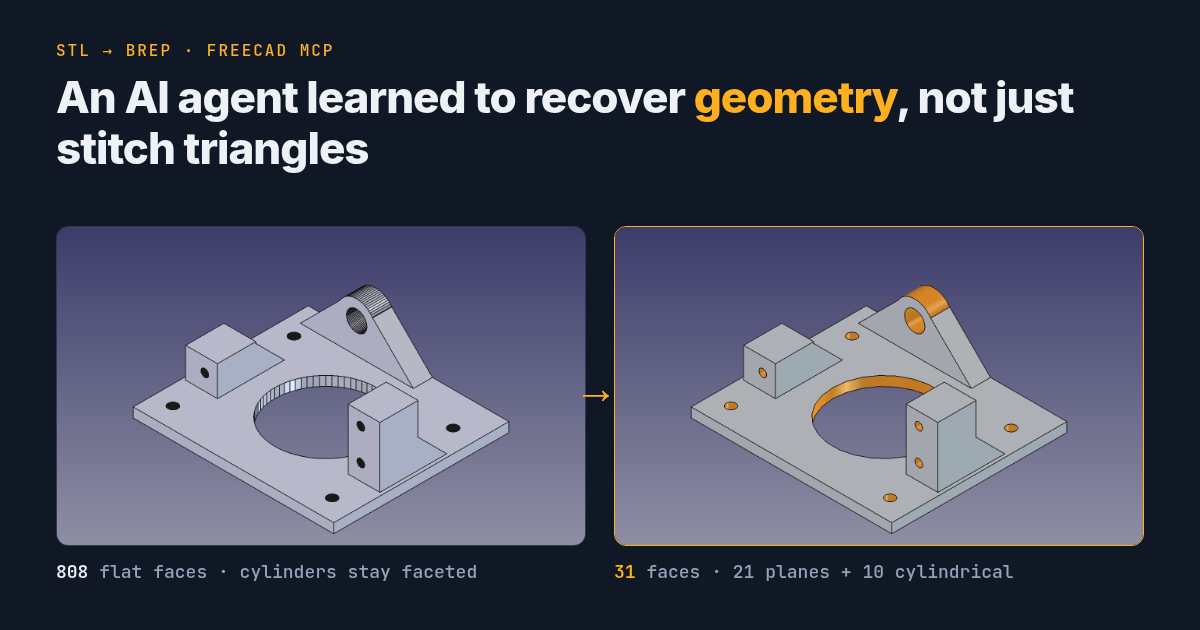
From STL to BREP: How an AI Agent Learned to Recover Geometry, Not Just Stitch Triangles
An open-source FreeCAD MCP tool: recovering planes and cylindrical surfaces from STL, first results, and an invitation to test it.
In my previous article I described how I started working with FreeCAD through an AI agent. After it was published, I asked an acquaintance who works in CAD professionally what is still missing from such an approach.
They named three tasks:
- Automatic stitching of STL into BREP solids;
- Converting drawings into 3D models;
- Automatic correction of 3D models, like reshape, but preserving NURBS surfaces and the solid built on them.
I decided to start with the first one. That is how the convert_mesh_to_brep tool appeared in my open-source fork of FreeCAD MCP.
Not just stitching triangles
An STL file stores a triangle mesh. Even if you stitch it into a closed BREP solid, a round hole can remain a set of flat faces. For further work with the geometry I wanted more: to recognize planes and cylindrical regions in the mesh and replace them with real analytic BREP surfaces.
The tool works with the STL itself. It does not need the original OpenSCAD project, known radii, or hand-picked faces. At the same time, it does not recover the part’s modeling history and does not promise to guess the original nominal dimensions.
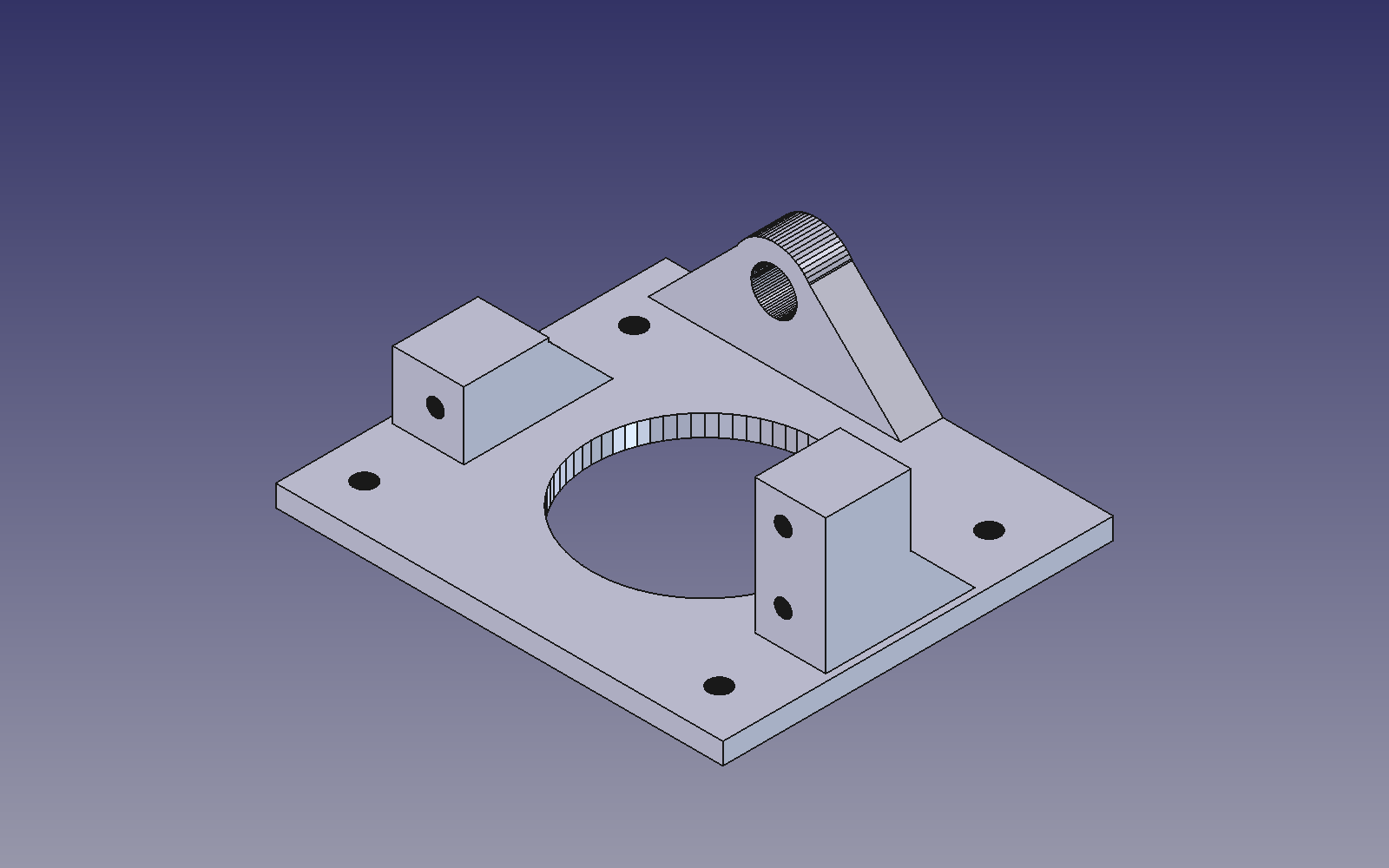
Fig. 1. tiltservomount_std.stl stitched into BREP without surface recognition (recognize_surfaces=False): 808 faces, all of them flat. The holes and the lug consist of narrow flat strips.
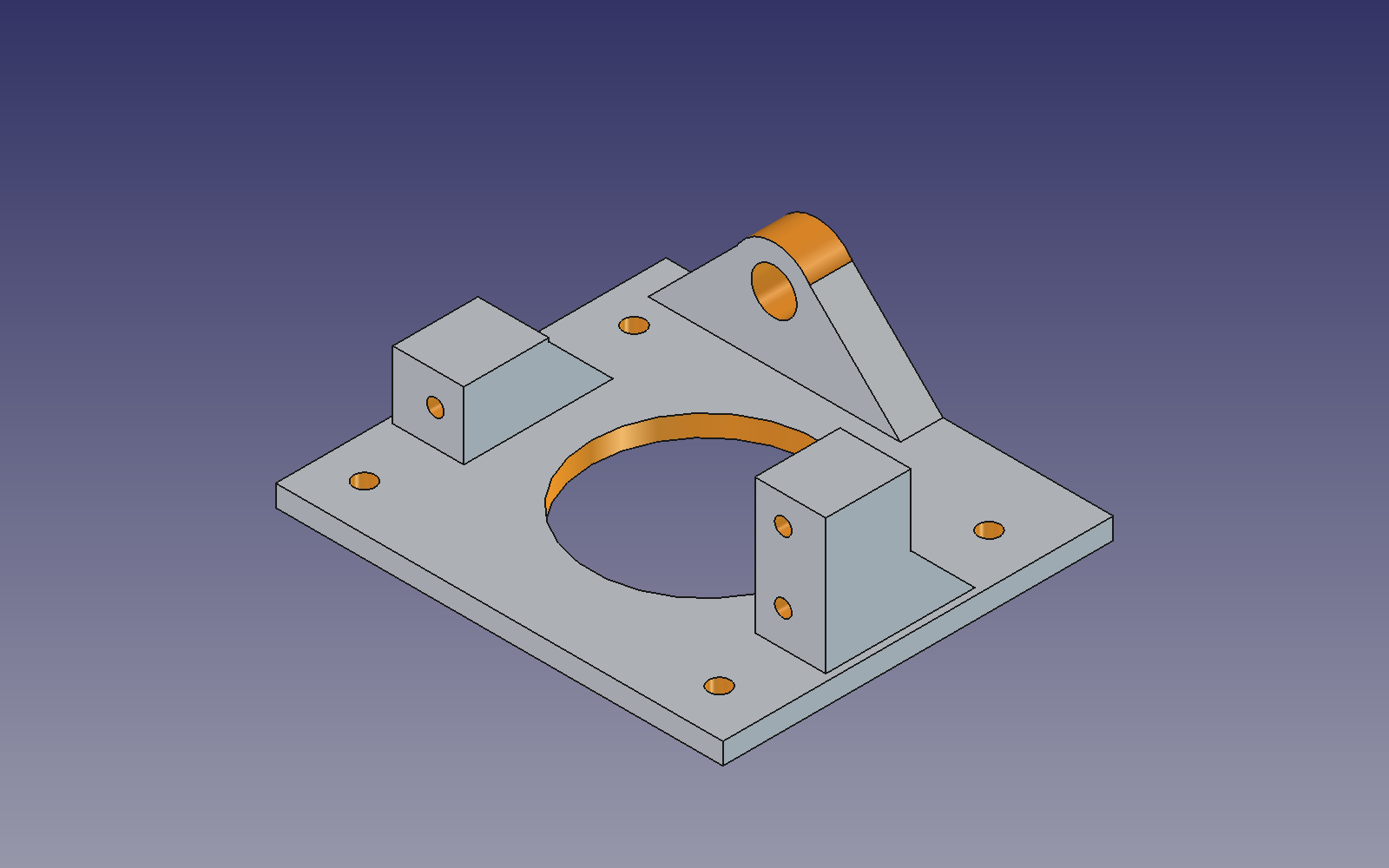
Fig. 2. The same STL after convert_mesh_to_brep(repair=true): 31 faces, of which 21 are Plane and 10 are Cylinder. The surface types were read from the BREP; the cylindrical faces are colored orange for the figure only.
A multi-pass pipeline
The conversion consists of several stages:
STL / Mesh in FreeCAD
       │
       ▼
Mesh check and optional repair of minor defects
       │
       ▼
Stitching into a BREP shell and creating a solid
       │
       ▼
Recovering common planes
       │
       ▼
Recognizing full and partial cylinders and arcs
       │
       ▼
Searching for remaining faceted regions
       │
       ├── suitable regions found and progress made → another pass
       ▼
Validity, volume and bounding-box checks → report
The algorithm makes up to four recognition passes. It tries to process the remaining supported regions automatically instead of stopping after the first surface it finds.
The report separately shows BREP validity and signs of residual faceting (reconstruction_status). These are different things: a closed solid does not mean the cylinders were actually recovered. Conversely, the absence of detected faceted regions does not prove a perfect reconstruction of the whole geometry.
The result is a separate Part::Feature object. Analytic planes, full cylinders and some partial cylindrical surfaces are supported; arbitrary NURBS surfaces, cones and spheres are not reconstructed yet.
Results on six parts
For the first checks I used six STL files from Pan and Tilt for Standard Servo by micromet (the models are CC BY-SA). The whole set went through a single tool with repair=true and default tolerances, with no manual selection of faces or dimensions.
| Part | BREP faces | Planes | Cylindrical faces | Volume change |
|---|---|---|---|---|
PanTiltBase_std | 27 | 12 | 15 | 0.0397% |
PanMount7 | 45 | 34 | 11 | 0.0306% |
sideplateservo_std | 24 | 15 | 9 | 0.0227% |
sideplateshaft_std | 14 | 9 | 5 | 0.0109% |
tiltservomount_std | 31 | 21 | 10 | 0.0279% |
IRTmount_pantilt | 24 | 14 | 10 | 0.0253% |
For example, tiltservomount_std.stl contained 2884 triangles, and the output is a BREP of 31 faces: 21 planes and 10 cylindrical regions. These are genuine analytic surface types, not a mesh that merely looks smoothed. The number of cylindrical faces is not the number of holes: one cylinder can consist of several regions.
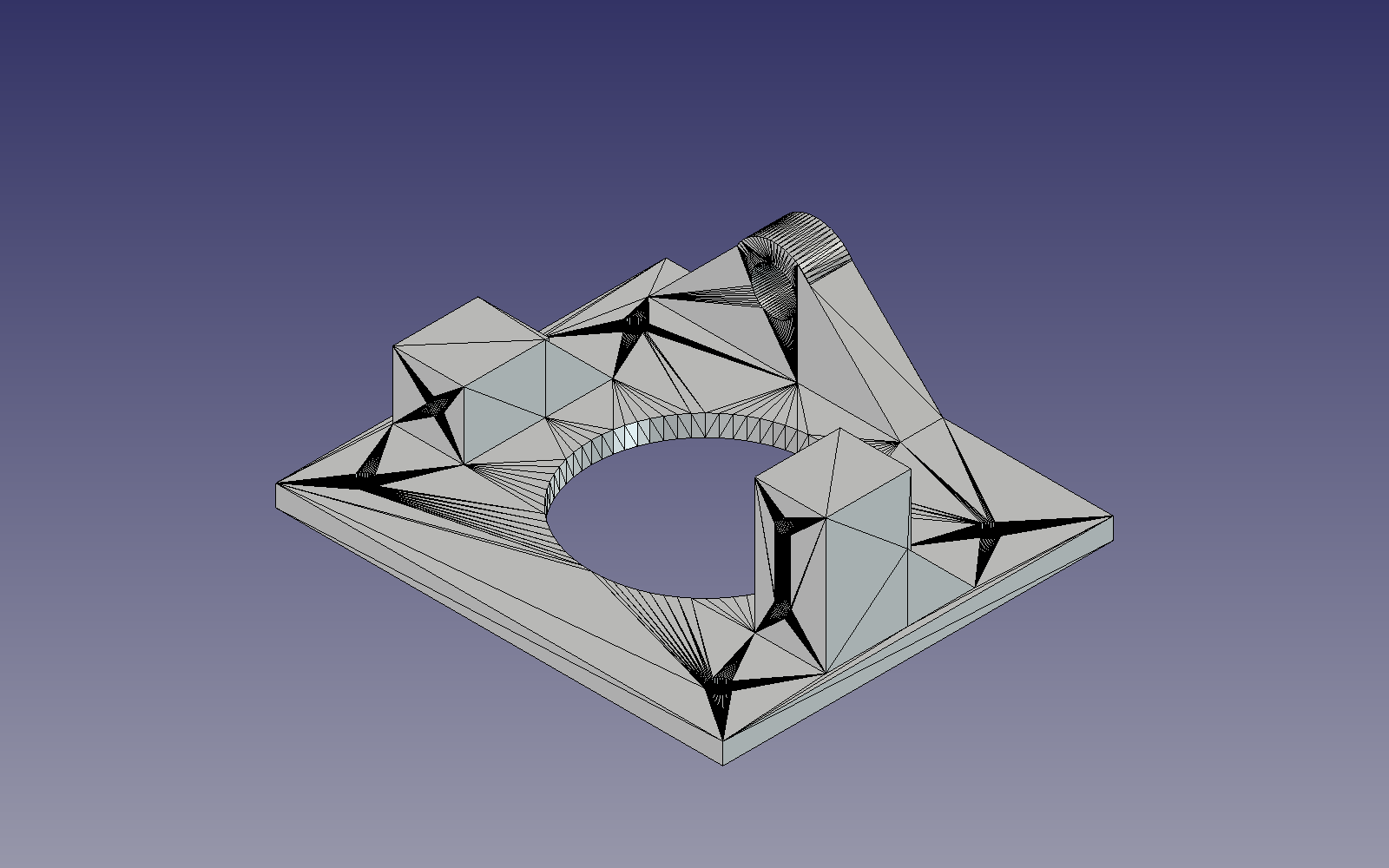
Fig. 3. The source mesh of tiltservomount_std.stl from the same angle as in Fig. 1 and 2: 2884 triangles → 31 BREP faces (21 planes, 10 cylindrical surfaces, Fig. 2).
All six results are closed, valid solids. They passed the geometry kernel checks and a save-and-reopen test. The volume change on every part is under 0.04%; the scanner found no remaining chains of faces that it knows how to recognize.
But this is only a first test. All six parts come from a single set, and the tool was developed against them. Close volumes do not guarantee surface accuracy: the maximum distance between the source mesh and the result was not measured separately here. Reliability on arbitrary STL files still has to be verified.
How to try it
The code is open: github.com/hram/freecad-mcp. Installation details, parameters, diagnostic fields and limitations are in the convert_mesh_to_brep documentation.
When FreeCAD is running with the updated add-on and a working RPC server, an AI agent can call the tool like this:
convert_mesh_to_brep(
    doc_name="Example",
    source_file="/path/to/part.stl",
    name="RecoveredPart",
    repair=true
)
The STL path is given on the computer where FreeCAD is running. Instead of a file you can pass an existing mesh object. The source mesh is kept, the new BREP is created separately, and the document is not saved automatically.
The converter returns a JSON report (also stored in ConversionReport) with the surfaces it found, deviations, and the reasons why some regions could not be recovered.
I need STL files that break this tool
I am not a CAD professional, and six test parts is clearly not enough. I want to check the tool on real tasks instead of continuing to tune it to one Pan–Tilt.
If you work with CAD, try the converter on your own STL. I am especially interested in cases where it leaves cylinders faceted, misrecognizes surfaces, distorts holes, creates extra geometry, or cannot process the mesh at all.
Send bugs and ideas to GitHub Issues. A problem STL, a screenshot of the expected and actual result, the FreeCAD version and the JSON report help a lot. If the model is commercial or confidential, do not publish it: an anonymized or deliberately simplified example that reproduces the defect is enough.
The second and third ideas from my acquaintance are interesting too. But first I want to understand how useful the first one can be made, with the help of people who work with this kind of geometry every day.
If your STL breaks my converter, that is exactly what I need right now.