The Agent Could Move Parts but Couldn’t Assemble a Mechanism. How I Extended FreeCAD MCP
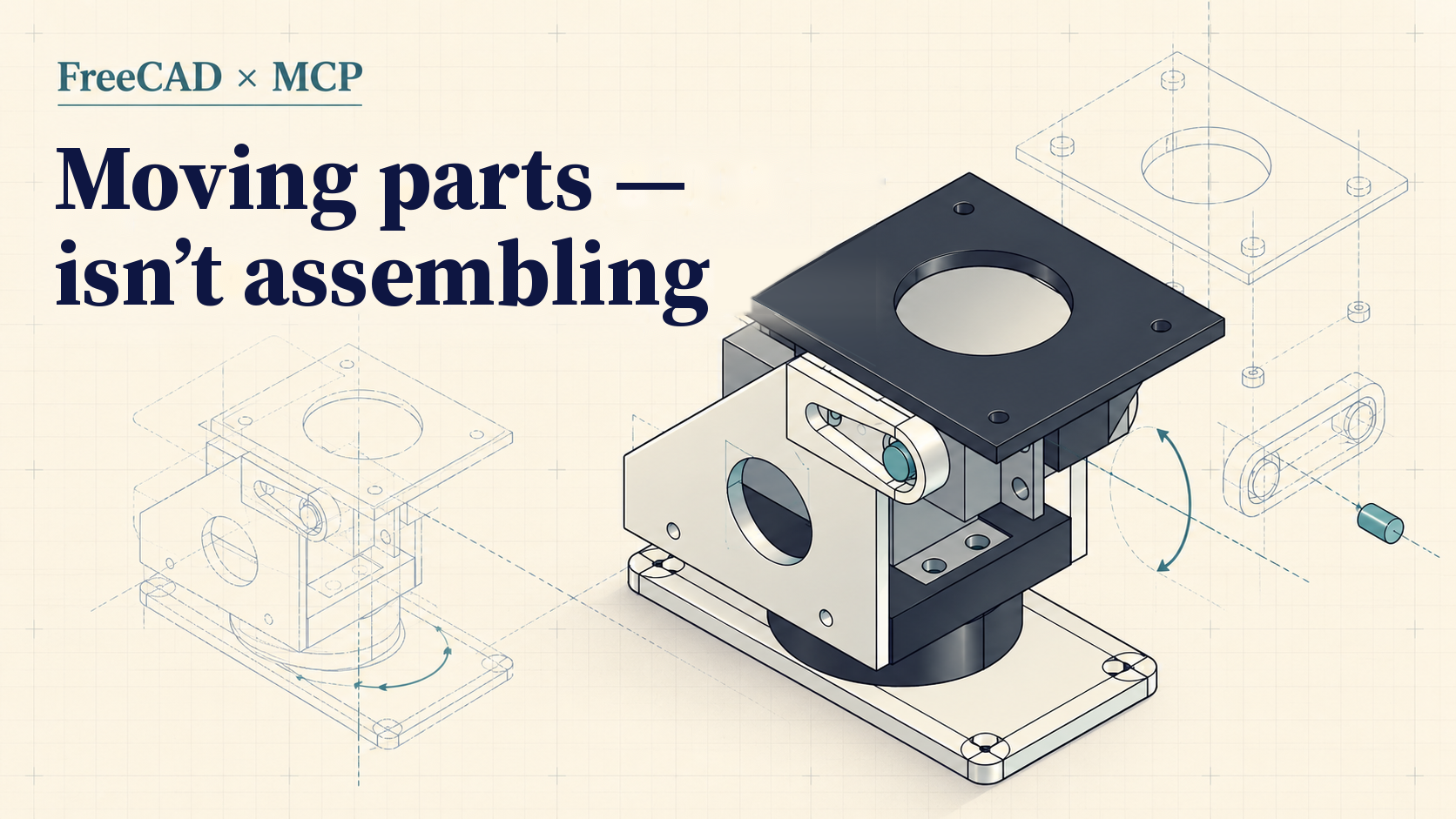
“No, you rotated them, I asked you to swap them.”
That’s a message I sent to an AI agent I had asked to assemble a two-axis mechanism in FreeCAD. A bit later I was explaining which part to rotate, around which axis, by how many degrees, and then along which single coordinate to shift it. Formally, the agent was performing CAD operations. In practice, I was driving the assembly through a chat. It took 1 hour 37 minutes, and even then the base was still unassembled.
The next day, a different agent assembled the mechanism on its own in 15 minutes 7 seconds. I dictated neither angles nor coordinates. Then I repeated the experiment with Codex, the very agent whose every move I’d had to explain the day before. It also finished on its own, in about 17 minutes 29 seconds. It did make a mistake, though, one that its own geometric checks didn’t catch.
Between those attempts I extended FreeCAD MCP. And that mistake in the second run explains better than anything what the new tools taught the agent, and what they still haven’t.
I Needed a Mechanism, Not CAD
I’m working on a large project, one part of which is a platform that rotates a phone in two planes: pan (horizontal) and tilt (vertical). I chose two MG996R servos for the design. I’m a software developer; I can’t design mechanical assemblies in CAD, and I wasn’t going to start with a long study of FreeCAD.
I installed FreeCAD, connected the MCP, and found a ready-made design, Pan and Tilt for Standard Servo by micromet. The archive contained STL models, OpenSCAD sources, images and a description. The main mechanism consisted of five printed parts: a base, a rotating tray, two different side plates and a top platform. There was also a sixth STL for an IR sensor. But the archive had no ready CAD assembly with all the parts placed and constrained, and no geometric models of the servos either.
It seemed like a fitting job for an agent: read the sources, work out how the parts connect, assemble them in FreeCAD and show the result. I wanted to give exactly that kind of task, at the level of the outcome rather than individual coordinate transformations.
Yesterday the Agent Could Move Parts but Didn’t Understand What It Was Building
On the evening of October 26 I gave Codex the archive with the model and asked it to assemble the design. It quickly became clear that a nice screenshot isn’t enough to tell whether everything is placed correctly.
One part ended up inside another. I asked it to swap the side plates; the agent rotated them. I asked why it had changed the height when the parts previously had the same Z coordinate. After several corrections I had to admit that in this mode it was faster to run the process myself.
My messages are preserved in the log (originally in Russian; translated here):
“no you rotated them and I asked to swap them”
“looks like I’ll have to do it myseeelf ((((“
“let’s start over. lay out all the parts. I’ll tell you step by step what to assemble with what”
That’s exactly what I did next. I specified axes and rotation angles, chose which hole to align with which, forbade moving neighboring parts, limited corrections to a single coordinate, and asked to roll back failed moves. This wasn’t working in CAD with a mouse: the agent still executed the commands. But the decisions about the relative position of the parts were mine.
From re-sending the archive to partial acceptance took 1 hour 37 minutes. And at that point I had accepted everything except the base, and the work went on. This is not a measurement of “how long Codex needs for a full assembly” and not an honest baseline for computing a speedup. But it’s a fair illustration of how much human involvement the process required.
What bothered me most wasn’t that the agent made mistakes. Mistakes during assembly are expected. The problem was different: it couldn’t reliably detect and fix them without me.
Why I Thought About Giving the Agent “Eyes”
This isn’t the first time I’ve run into this problem. Before FreeCAD I had worked on two other MCP projects.
In Remotion MCP App the agent gets actually rendered video frames instead of speculating about how the React/Remotion code it wrote should look. In Android UI Renderer MCP it gets not only a screenshot but also the view tree, element coordinates, sizes and text state.
Both projects were attempts to solve the same problem: give the agent enough feedback to iterate on its own.
In FreeCAD I kept asking the agent whether it could see the result. It felt as if it was rearranging objects without understanding what mechanism was supposed to come out. That doesn’t mean the original MCP couldn’t show images at all: you could get a view. But an image from a single projection doesn’t answer whether the holes are coaxial, what the gap between planes is, or whether parts intersect.
I’m not a CAD specialist myself, so I asked a different agent to assess the toolset. Its assessment confirmed my concerns. After that I told a coding agent to extend the MCP. This was my engineering decision, based on observation and an expert check, not a cause of all the failures proven in advance.
My goal was simple: the agent should be able to iterate toward a result without a human in the loop.
What I Changed in FreeCAD MCP
I started from the open-source neka-nat/freecad-mcp. The original project could already work with documents, objects and Python code inside FreeCAD. I didn’t write an alternative CAD tool from scratch: for my task the agent extended the existing MCP, keeping the original 17 tools and adding 14 new ones.
The main change is the move from an arbitrary “run this Python script” to specialized, verifiable assembly operations. For example, the agent can now go through this sequence:
inspect_part         → read faces, cylinders, axes and dimensions
      ↓
define_interface     → specify the contact plane and mounting holes
      ↓
plan_alignment       → compute the alignment without changing the document
      ↓
preview_alignment    → see the proposed position from several angles
      ↓
apply_alignment      → apply the move with measurements and rollback on error
      ↓
check_assembly       → independently re-verify the result
      ↓
inspect_region       → get several standard views of the assembly
This is the workflow the tool is designed for, not a sequence that every agent in my experiments went through in full.
A few details matter here. Holes are specified in a defined order: the tool doesn’t guess which side of a part should face outward. An alignment checks numeric axis deviations, gaps and intersections with the listed objects. If a tolerance is violated, the change can be rolled back. Long operations got trackable jobs; pre-computed moves got protection against being applied to a model that has since changed.
The check isn’t omnipotent, though. For example, the result explicitly reports whole_assembly_checked: false when only the specified objects were checked rather than the whole structure.
On the version of the project I examined, 286 tests passed. But the MCP’s tests and individual CAD smoke scenarios are not proof that any mechanism built with it can be manufactured or will work under load.
Today: Assembly Without My Coordinates
On October 27 I asked Claude to assemble the mechanism from the same archive on its own. When the agent started looking into the earlier stand project, I stopped it: “forget the stand project. do it yourself, don’t peek” (translated from Russian). Before the ban it had already seen some service information and titles of earlier commits, so this run can’t be called fully isolated from the previous context. But after the ban I no longer hinted at how to place the parts.
The agent studied the STL files and OpenSCAD sources, reconstructed the five parts as geometry suitable for analyzing faces and cylinders, checked their volumes against the original models (the difference didn’t exceed 0.04%) and their dimensions within a set threshold. Then it computed the part positions, added two simplified servo models and a servo horn, checked pairs of bodies for intersections, ran discrete rotation checks, saved an FCStd file and prepared four views.
All of that took 15 minutes 7 seconds after the command to work independently. I got a saved CAD document, not just a final “done” message.

A historical Claude collage, saved without retouching. Important: the green text inside the image, “All axes aligned to 1e-6 mm, no intersections between parts,” is wrong. The actual limitations and measurements are below. Don’t use this caption as confirmation of engineering accuracy.
Reading through the logs revealed an important detail: Claude did the main layout with its own Python scripts. It applied the new alignment API to the two side plates after the initial placement, to verify and reproduce their position. So it would be wrong to write that “the new MCP commands assembled the whole mechanism.” What we observed is independent work in an improved tooling environment, not an isolated test of each new command’s contribution.
After that I deliberately repeated the task in Codex. I wanted to rule out an overly simple explanation: “yesterday it was Codex, today it’s Claude, so it’s all just a change of model.”
Codex also assembled and saved the design without my step-by-step instructions, in about 17 minutes 29 seconds. In this run it already used the new tools define_interface, plan_alignment, preview_alignment, apply_alignment, check_assembly and inspect_region for a number of joints. It created two placeholder servo models, servo horns, and also included the sixth part from the archive, the IR sensor mount.

The historical Codex result in four projections. The part placement is deliberately left uncorrected: this is the model on which I noticed the layout error.
Codex gave the most telling result: it now did the assembly on its own, but it swapped the two side plates.
The Spacers That Explain the Limit of Automated Checking
Codex added four 1 mm spacers to the assembly. They weren’t in the original archive. The agent introduced them while trying to eliminate intersections in the upper part of the mechanism.
When I looked at the model, I realized the side plates were not in their proper places. In my assessment, the spacers were needed precisely because of this swap: instead of fixing the original placement of the parts, the agent started compensating for the problem with extra elements. This causal link is my reading of the result, not a separate experiment with the spacers removed and the side plates swapped back.
Interestingly, Codex’s checks reported success throughout. For the joints it had defined, the hole deviation was less than 5e-14 mm and the angular error was zero. A separate script found no volumetric intersections among 91 pairs of bodies in the neutral pose.
There’s no contradiction. The tool checked what the agent itself declared correct: the chosen pair of holes, the permitted gap, the absence of intersection in the checked position. It did not check whether the agent had understood the purpose of the right and left side plates correctly.
In other words, you can mathematically perfectly align the wrong parts, the wrong way round.
Claude’s checks weren’t perfect either. Its final measurements still showed an axis offset of 0.5831 mm, up to 0.25 mm across the matched mounts, and one hole had no match. There was also an intersection between the placeholder servo shaft and the horn disk of 84.823 mm³. Even so, the final picture claimed that all axes aligned to 1e-6 mm and there were no intersections.
Moreover, one of Claude’s own checks at first wrongly showed zero deviations, because before measuring it restored the reference positions of the parts itself. The agent noticed the suspicious zeros and fixed the script. A good example of why verification code can’t automatically be considered the truth either.
I visually accepted Claude’s main layout. But that doesn’t mean real MG996R servos will fit without rework, that all the joints will withstand the load of a phone, or that the mechanism will freely sweep the full range of angles. The servos in the repeated runs were simplified CAD mockups. I’m not presenting a physical assembly or tests yet.
What Actually Changed
In two days I went from steering every CAD operation through messages to stating the task as a whole. For me that’s the main result.
At the same time, I can’t honestly say the new MCP “sped up assembly six times.” The runs differed in more than the tools: the agent, the context, the way geometry was represented, and the set of parts and placeholder servos all changed. The first process included manual adaptation to the MG996R, while the later ones involved independent layout with simplified models. The resulting 15 and 17 minutes describe exactly those two independent runs, not a universal speed metric.
But the practical difference in my role is obvious. In the first case I explained how to rotate and where to shift. In the second, what needed to be assembled, and then I checked the result. When Codex made its mistake, I didn’t have to teach it geometric transformations again: I saw a wrong engineering decision on a finished model.
The experience with Remotion, Android UI and now FreeCAD reinforced my view: it’s not enough for an agent to be able to act. It has to be able to observe the consequences of its actions, verify them and repeat the cycle of corrections. Sometimes video frames are enough for that, sometimes the interface element tree, and sometimes you need axes, planes, distances and intersection volumes.
But feedback doesn’t replace understanding the task. FreeCAD MCP learned to check the geometry of a joint. The next limit turned out to be higher: it’s necessary to verify not only how precisely the parts are joined, but also whether the agent decided correctly which parts to join in the first place.
For now, that’s still my responsibility.
Code and sources: my fork of FreeCAD MCP · original MCP by neka-nat · Pan and Tilt for Standard Servo design by micromet. The mechanical models and assembly images are based on a third-party design distributed in the archive under the Creative Commons Attribution–ShareAlike terms (the license version was not established in the research available); the MCP’s MIT license does not apply to these models.